Errand tools: link tidy, box weight check, two-payment sum
Clean up a marketplace link, see whether a box will be billed by size or by weight, and add up both payments of an order before you commit. All arithmetic stays inside this page; what you enter is never transmitted.
Purpose of each calculator, and its limits
Each tool does one calculation that people otherwise do on a phone calculator halfway through checkout. Type the numbers you have, press the button, and read the result under the form. None of them knows any agent's prices: you supply the rates from the agent's own pages, which is the only way the answer can be right for your order.
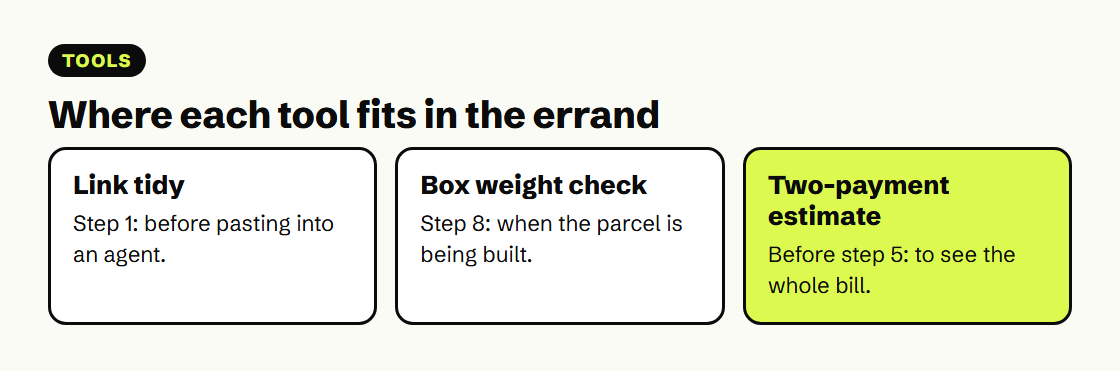
- Link tidy: drop in an address from Taobao, Tmall, Weidian or 1688 to get the item number and a clean link.
- Box weight check: three box sides, the scale weight and a divisor give the weight a line will bill.
- Two-payment estimate: a fee calculator that adds up goods, delivery, agent charge, freight and extras in yuan and in your currency.
Link tidy: pull the product number out of an address
Agents identify products by the item number inside the address. Paste a link from a desktop browser, or the whole share message from a phone app, and the tool picks out the marketplace and the number and rebuilds a short clean address you can paste into any agent.
Short m.tb.cn links from the Taobao app hide the number until they are opened. If the tool reports a short link, open it in a browser, let it load the product page, and paste the address it lands on.
Box weight check: by size or by the scale
For lines that use dimensional billing, compare the scale weight with the carton-based weight under that line’s divisor and rounding rules. Enter the carton your agent quotes, or one you expect, the weight on the scale and the divisor the line publishes. The shipping page explains the rule with a worked carton.
Example: 40 × 30 × 20 cm divided by 6,000 gives 4 kg of dimensional weight. With a 2 kg scale reading, this comparison uses 4 kg before any line-specific rounding. Enter the actual divisor published for your chosen line; a smaller packing estimate is useful only if the warehouse can achieve it while protecting the item. See the shipping explanation.
Two-payment estimate: both instalments in one sum
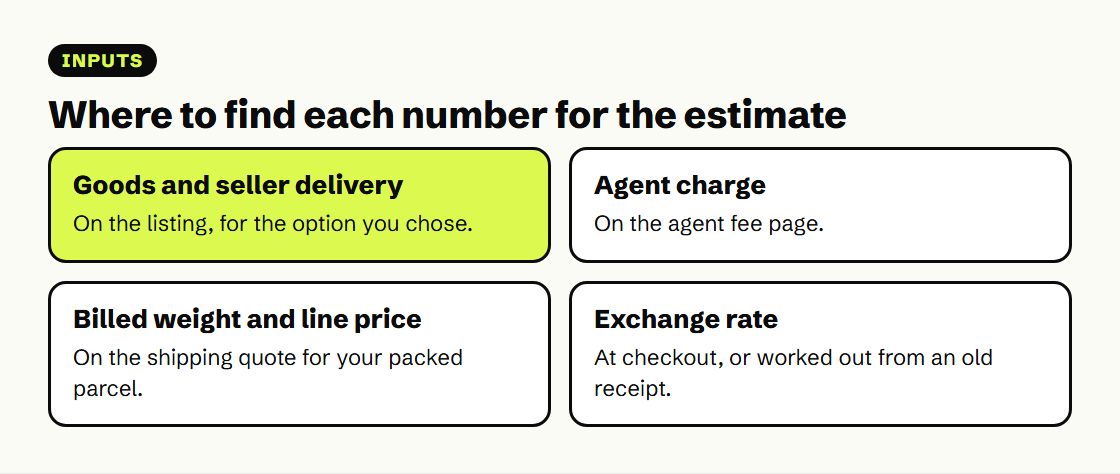
Fill in what you know from the listing and from your agent's fee and shipping pages. Leave a field at zero if the agent does not charge it. The result splits the order into the two payments and shows what share of the total the goods themselves are.
Zero means a confirmed absence of that charge. If a fee is unknown, treat the calculated total as incomplete and write down the missing line separately. The tool’s per-kilogram input simplifies freight: obtain a quote for the full parcel, including first-weight blocks and surcharges, before converting it into an average. Optional cover, taxes and any charge not entered remain outside the answer.
The starting numbers reproduce the worked bill on the costs page: real item prices, invented agent and freight rates. Real lines often charge a higher rate for the first half kilo than for each one after; if yours does, enter the average your agent quotes for the full weight.
No live price feed, on purpose
These tools calculate from the values entered; they do not retrieve an agent’s checkout or determine whether a route accepts the contents. A mathematically correct subtotal can still omit a fee or use the wrong billing rule. Keep the source, date and assumptions with each result, then reconcile them against the provider’s actual quote before paying.
The same goes for exchange rates. Use the rate on your agent's checkout page, or work out the rate you were given from an old receipt with the method on the costs page, and type it into the last field of the estimate.